

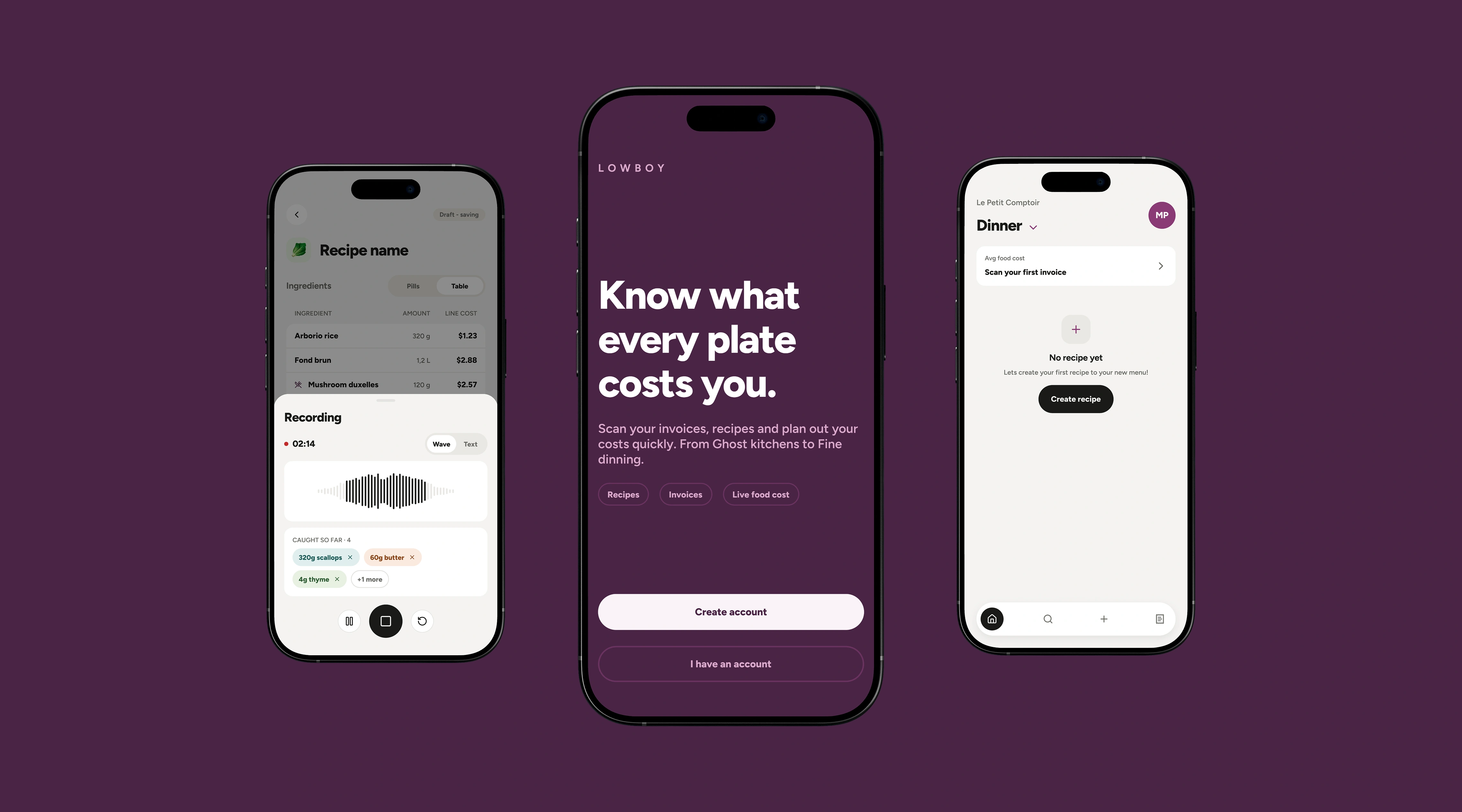
Lowboy: Conducting AI
- Product design · AI direction · Prototyping
- Ongoing · 2026
- Two-person founding team
Lowboy became my test for a different way of working. I set the direction and made the calls. AI helped me explore flows, build systems, document decisions and keep the project moving with a friend.
5
4
46+
We made the product and kept the thinking visible.
I wanted to know whether AI could help two people hold a product this complicated without losing the thread. The screen count was beside the point.
I was the conductor. AI played different parts.
I chose the problem and set the constraints. Opus helped me reason through the system. Fable pushed the visual work further. My friend and I made the product calls.
Division of labour

I made the final calls.
I brought the kitchen context and references, then decided what felt right, what needed another pass and what did not belong.
AI gave me range and kept track of the mechanical work. It generated routes, built components and surfaced contradictions I might have missed.
How a change moved through the work
Ideate, document, build
Every change went through the same three acts, in that order. Skipping the middle one is how decisions get lost.
The loop:
Ideate: stay in conversation while changing direction is cheap.
Document: write decisions into Linear and FigJam before building.
Build: create, inspect, measure and revise the artifacts.
Each model gave me a different map.
V1 and V2 came from Opus 4.8. Opus 5 produced V3. Fable produced V4 and V5, which were much easier to follow. I still had to decide what was actually better.
What each model gave me
Three models, three different maps
I ran the same flow through three models and kept five versions. Each one was easier to follow, but I still had to decide whether it worked.
The passes:
V1 and V2 · Opus 4.8: the first usable structure.
V3 · Opus 5: more product logic held together.
V4 and V5 · Fable: a clear jump in visual organization.
Fast output gave me something to argue with.
The AI files are untouched. Some ideas were useful; some were generic or simply wrong. I checked them against the kitchen rules, kept what held up and rebuilt the rest.
Keep, change, own
What I kept, what I changed, and what stayed mine
Fast output is only useful if you are willing to throw most of it away.
The three piles:
Keep: fast variations, useful starting points and states I had not considered.
Change: generic hierarchy, questionable logic and layers that looked finished before they were sound.
Own: the product direction, visual language and every final decision.
Opus built the first system. Fable and I tried to break it.
Opus 5 built the first Figma foundations and components. Fable audited the library. I checked every component, fixed the wonky layers and made the final calls.
48+
12
2
My morning brief changes with my energy.
I start the Linear review myself. AI pulls together open tickets, what I finished yesterday and the blockers I recorded. On slow mornings I ask for easy wins first, then move into the heavier work once I have momentum.
The working loop
Capture, review, start, record
The same four steps every morning, whatever the energy level.
The loop:
Capture: meetings, ideas and decisions.
Review: open tickets and yesterday’s work.
Start: easy wins or the hardest item.
Record: progress, decisions and blockers.
AI can make more than a person can responsibly review.
That was the real risk. Screens looked finished before the logic was. Some components needed cleanup. A cleaner flow turned out to be worse. I had to slow the machine down and check the work.
Three ways it could have gone wrong
Polish and volume can both hide bad work.
Each of these cost me time before I learned to check for it.
What I watch for now:
Plausible ≠ correct: a polished screen can still hide a bad rule.
Volume ≠ progress: more output creates more review work.
One audit is not enough: metrics and screenshots catch different defects.
Build it. Inspect it. Measure it. Keep it, fix it or throw it away.
The collaboration worked because AI was allowed to disagree, but never allowed to quietly become the decision-maker.
01
Do not build while the important questions are still moving.
02
The detail that looks irrelevant usually changes the design.
03
A useful collaborator should be able to explain why an idea is weak.
04
Check the picture and the numbers before calling it done.
I would not hand the product to AI.
The useful part is being able to explore more directions without becoming attached to the first one. AI can play a lot of instruments. I still have to know what I am listening for.
Thank you.